Extract data from PDFs and scans – photos and handwriting included
Digital PDF, scan or phone photo: Tiro reads header fields and line items from every variant into the same table – with an example from three files.
By Christian Gerloff · Published August 28, 2026
In short: Tiro reads header fields and line items from PDFs – digitally created, scanned or photographed with a phone – and returns them as a table. Text layer, image recognition and AI work in one step; you choose neither a document type nor an OCR mode. In the example the same purchase order as a digital PDF, a scan and a phone photo yields identical values.
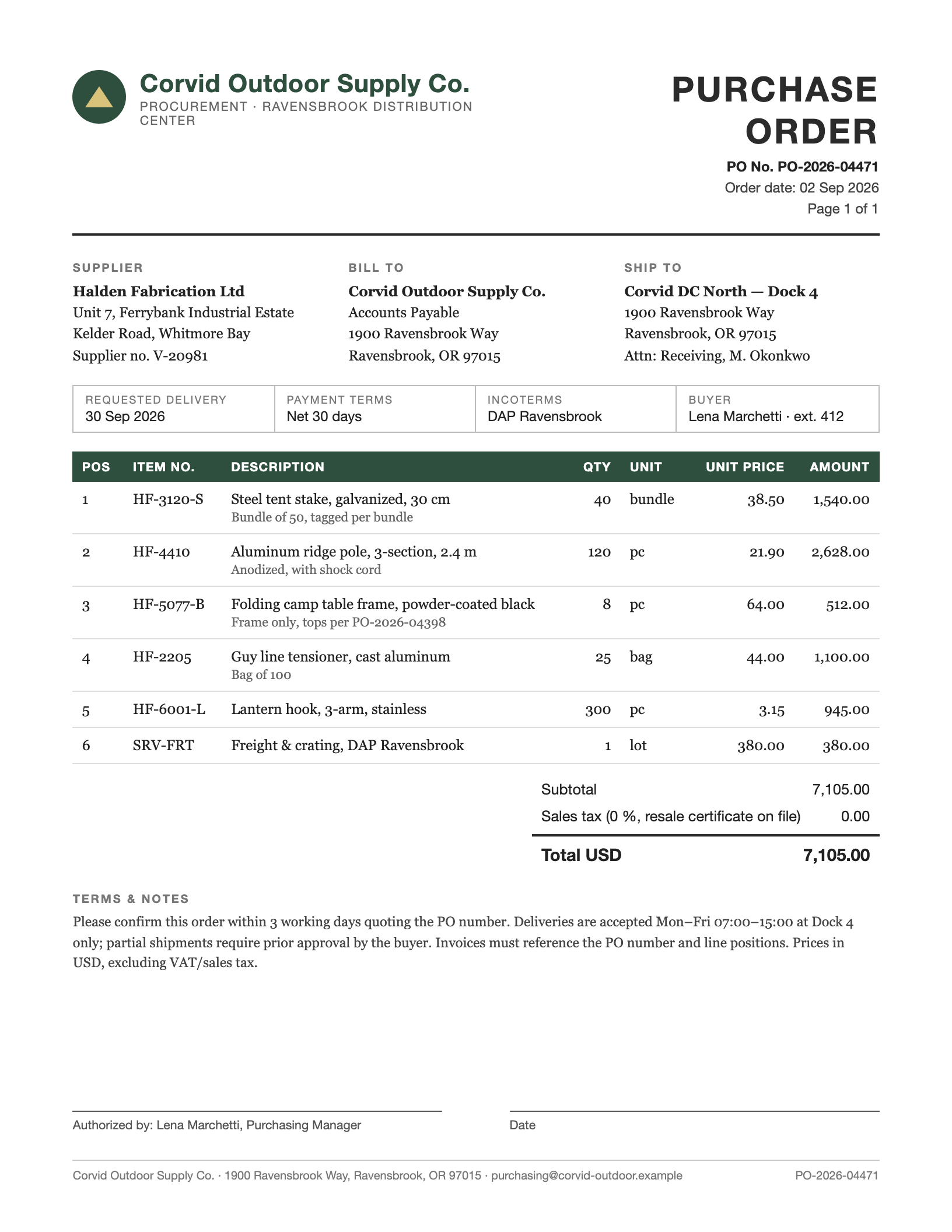
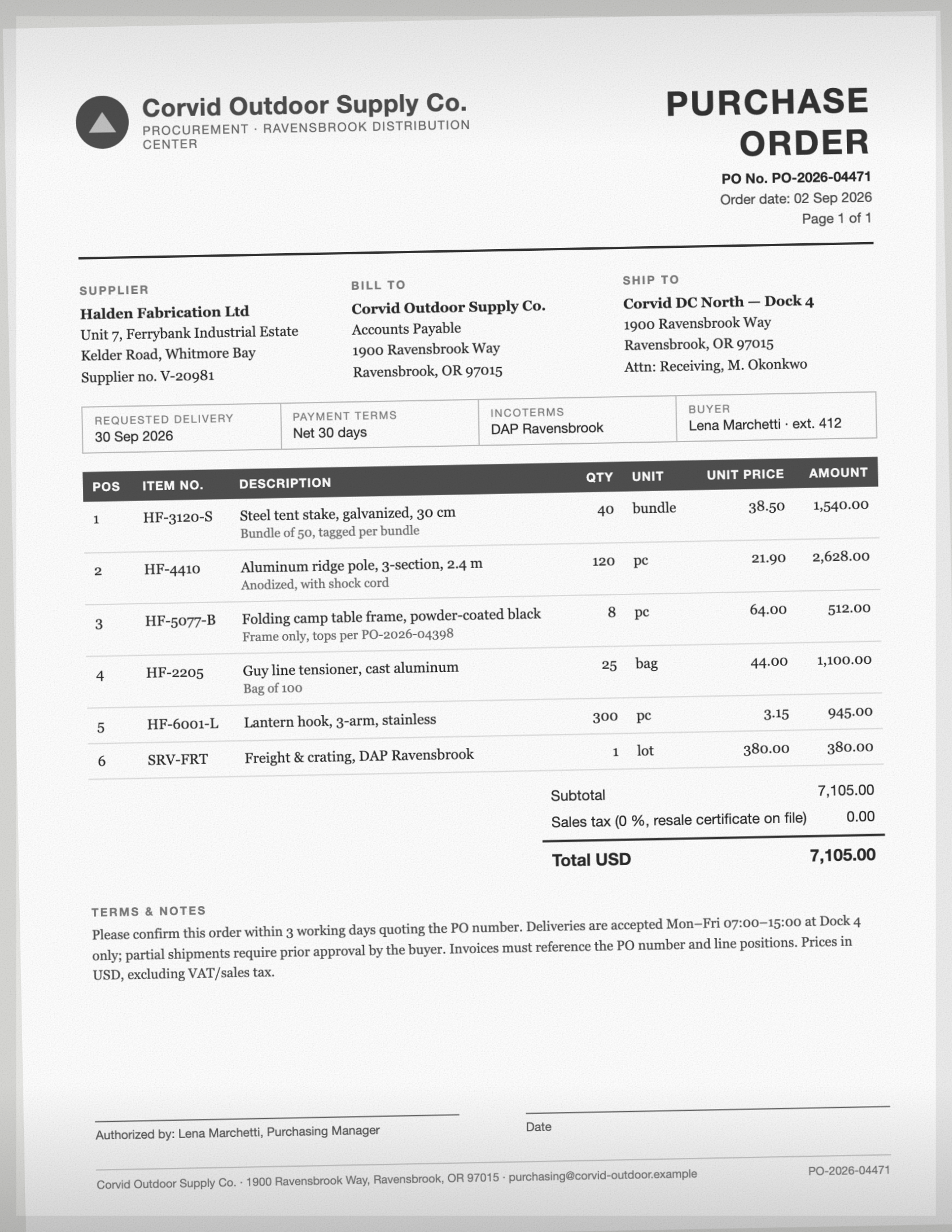
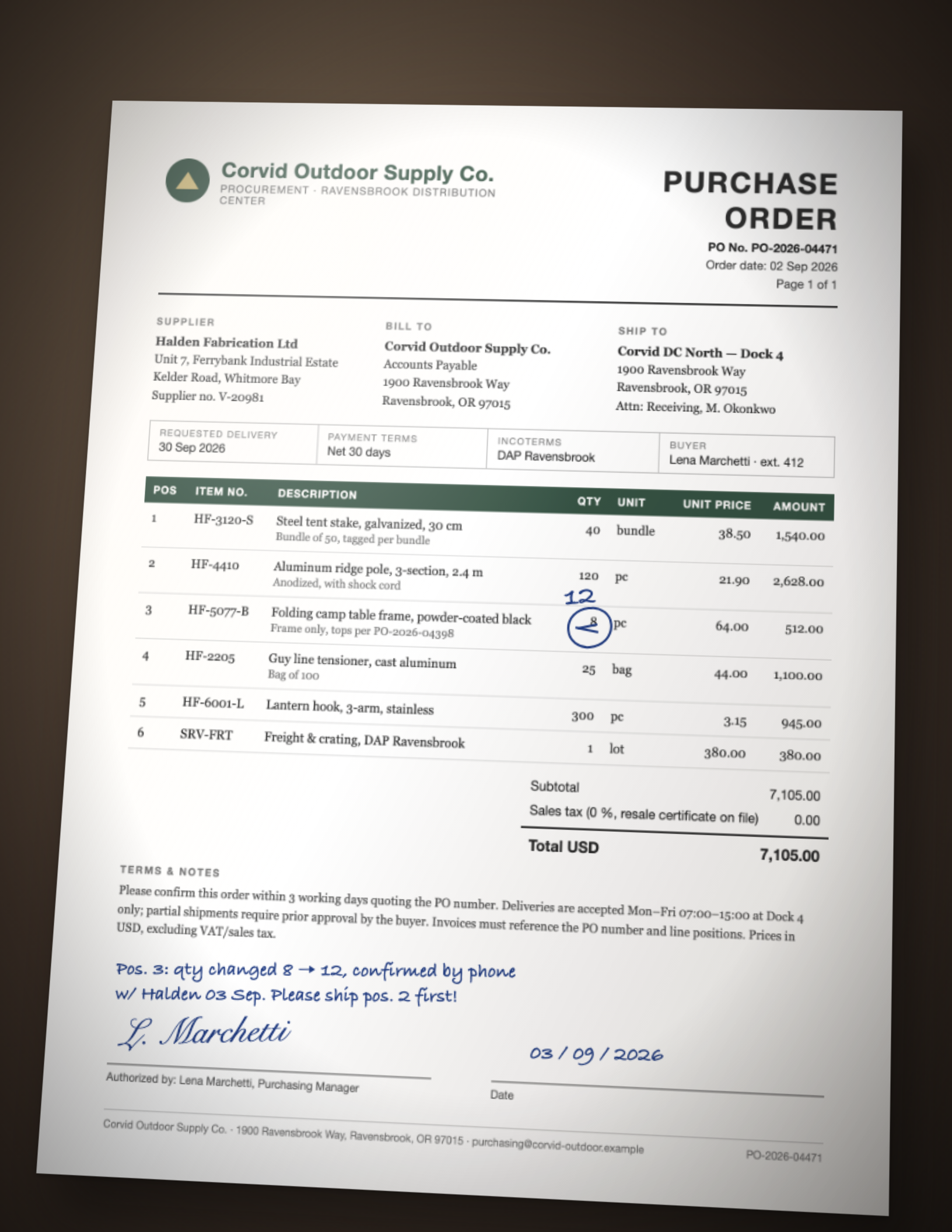
Below you see the three variants and the values that come out of each.
How Tiro reads a PDF
A PDF can contain two things: a text layer (in digitally created files – exact, every digit is a character) and a page image (scans and photos have nothing else). Classic tools force a choice: text extraction for one, OCR for the other – and fail when a file mixes both or the text layer is broken.
Tiro evaluates both together. Every page goes to the AI model as text and as image: the text makes numbers, IBANs and item numbers precise, the image supplies layout, table structure, stamps and handwriting. Out of that come the fields you defined in the inbox – as real numbers and ISO dates, not text snippets.
What people typically pull out of PDFs and scans
Purchase orders and order confirmations (the example below) – header data and line items into the order list.
Delivery notes and weigh tickets from goods receipt, often a scan or a photo taken in the yard.
Invoices and credit notes from suppliers in every layout.
Certificates, test reports, data sheets – measurements and figures from multi-page PDFs.
Forms and lists from line-of-business systems that only exist as PDF export.
Why not OCR or a PDF converter?
OCR programs deliver text, not data – working out “which number is the quantity?” stays with you. PDF-to-Excel converters copy the layout into cells and break every table differently. Parseur and Airparser solve this with fields instead of layout – Parseur, however, adds OCR as a separate stage (with its own price) and returns dates as text in the source format. Tiro has one processing path for every variant, no surcharge for scans, and dates and numbers arrive normalised.
Example: from document to table
A fictional document, one inbox, one run in Tiro — shown unchanged. Company, people and figures are invented.
Header fields once per document, the table as one row per line item — dates as dates, numbers as numbers. The first rows are expanded, the rest follows behind.
Header fields
Field
Digital PDF
Scan
Phone photo with handwriting
PO number
PO-2026-04471
PO-2026-04471
PO-2026-04471
Order date
Sep 2, 2026
Sep 2, 2026
Sep 2, 2026
Requested delivery
Sep 30, 2026
Sep 30, 2026
Sep 30, 2026
Buyer
Corvid Outdoor Supply Co.
Corvid Outdoor Supply Co.
Corvid Outdoor Supply Co.
Supplier
Halden Fabrication Ltd
Halden Fabrication Ltd
Halden Fabrication Ltd
Ship to
Corvid DC North — Dock 4
1900 Ravensbrook Way
Ravensbrook, OR 97015
Attn: Receiving, M. Okonkwo
Corvid DC North — Dock 4
1900 Ravensbrook Way
Ravensbrook, OR 97015
Attn: Receiving, M. Okonkwo
Corvid DC North — Dock 4
1900 Ravensbrook Way
Ravensbrook, OR 97015
Attn: Receiving, M. Okonkwo
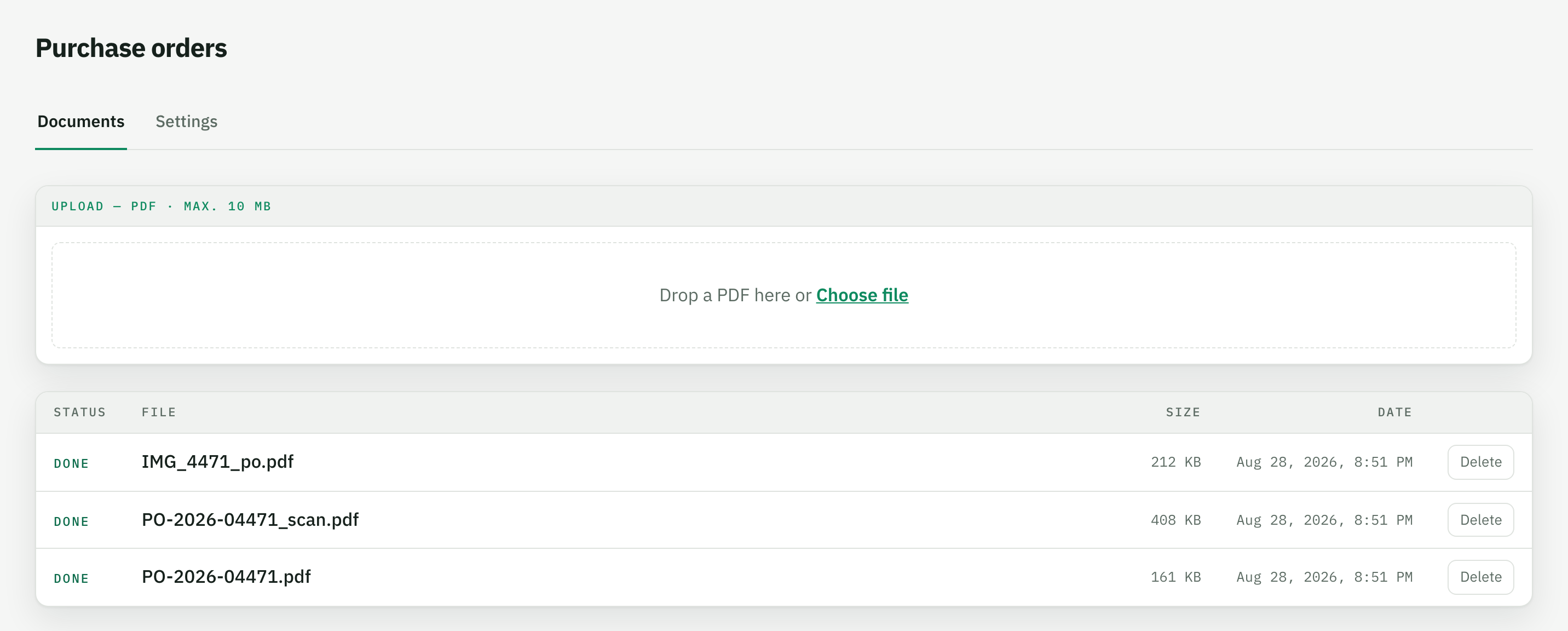
The result in the browser, right after the upload. From here it is one click to Excel or CSV.
How it works
Create an inbox
A name is enough, for example “Purchase orders”. On the first upload the AI proposes the fields – keep what you need and add instructions such as “if a quantity was corrected by hand, use the handwritten value”.
Upload the files
PDF, scan or photo as PDF – one by one or as a batch. You never say which variant it is; Tiro always reads text layer and page image together.
Download the table
Every document yields the same column structure – one row per line item. Excel or CSV, dates as dates, amounts as numbers; the tables of all files stack directly underneath each other.
No. Every page is evaluated as text and as image – for digital PDFs the text layer delivers exact digits, for scans and photos the image takes over. There is no switch and no document type to pick beforehand.
Does it work with phone photos of documents?
Yes, as long as the text is legible. Perspective, shadows and lighting like in the example above do not get in the way. The photo has to be uploaded as a PDF – most scanning apps on the phone do that directly.
Are handwritten corrections and notes recognised?
Yes, as far as the AI can read the handwriting. In the example the crossed-out 8 on position 3 was replaced by the handwritten 12 and the margin note was transcribed in full – because the field instructions say so. What counts is up to you in the inbox.
What is the difference to an OCR program or a PDF converter?
OCR produces text, a converter copies the layout into cells – in both cases you still have to find and assign the values yourself. Tiro returns the fields you defined, in a fixed column structure, with normalised numbers and dates.
Where are the limits?
Password-protected PDFs must be unlocked first, files are limited to 10 MB, and illegible spots – faded thermal print, blurred photos – stay illegible. Such fields come back empty, not invented; every document has a visible status.
Where are the files processed?
On servers in Germany; AI processing runs through AWS Bedrock in the EU region Frankfurt, with no training on your data. Retention is set per inbox.