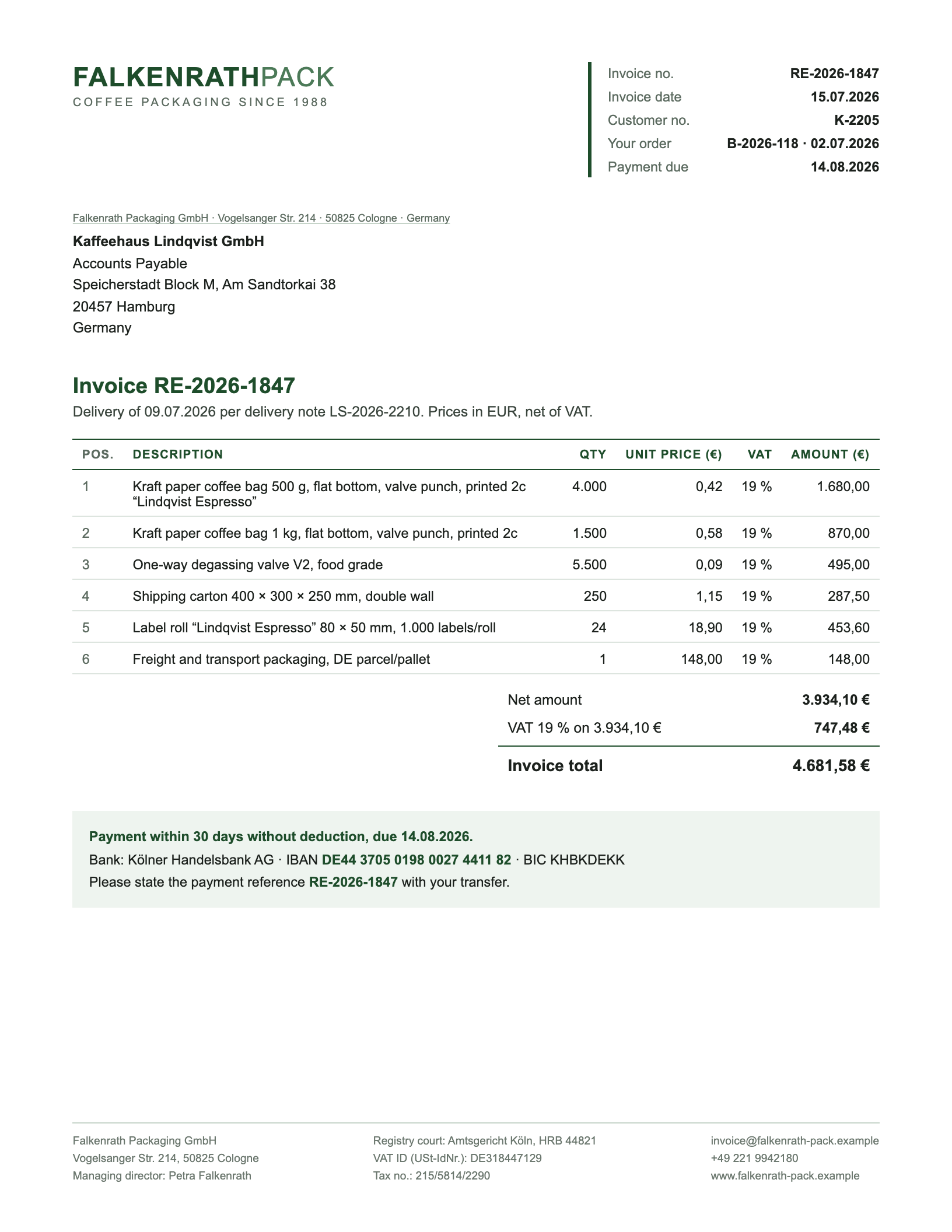
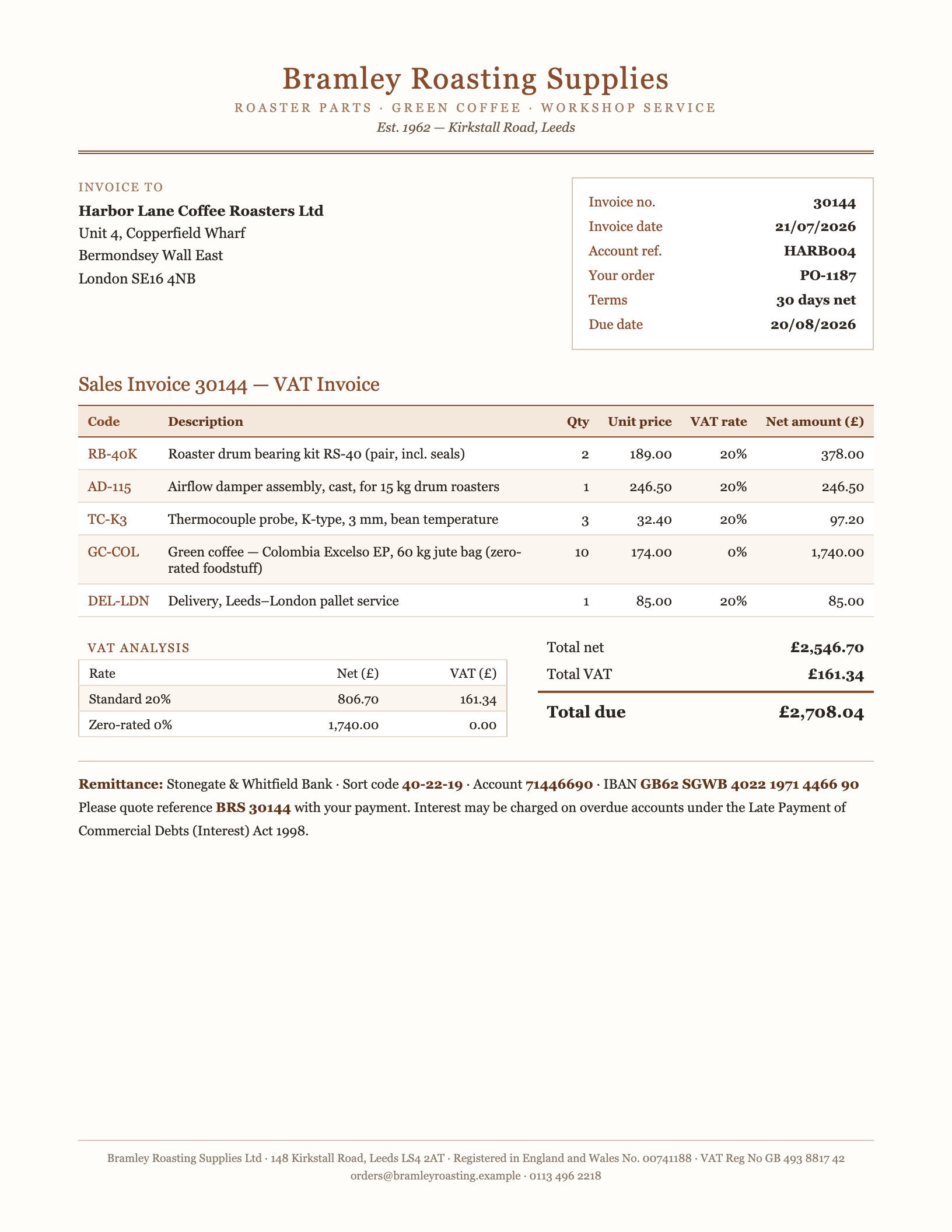
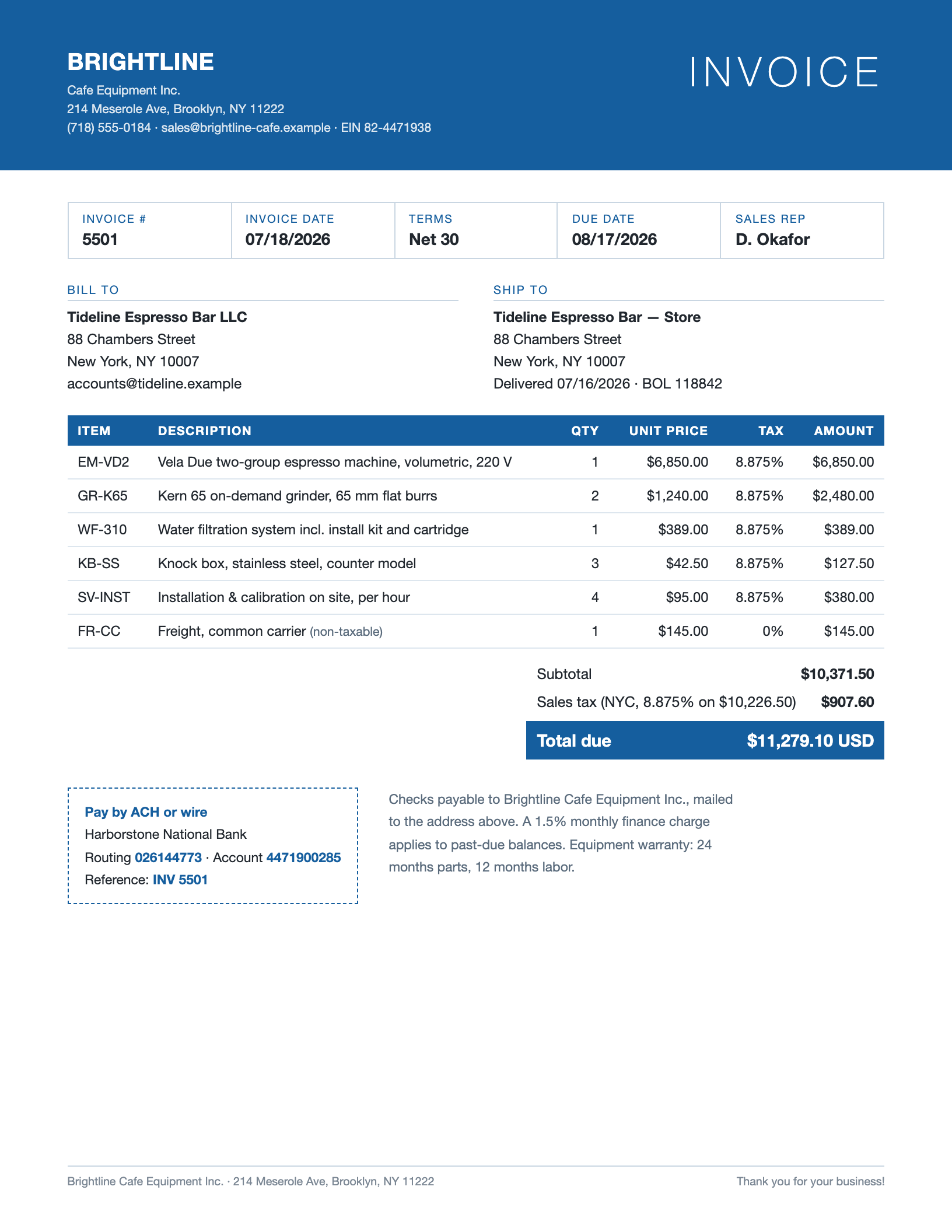
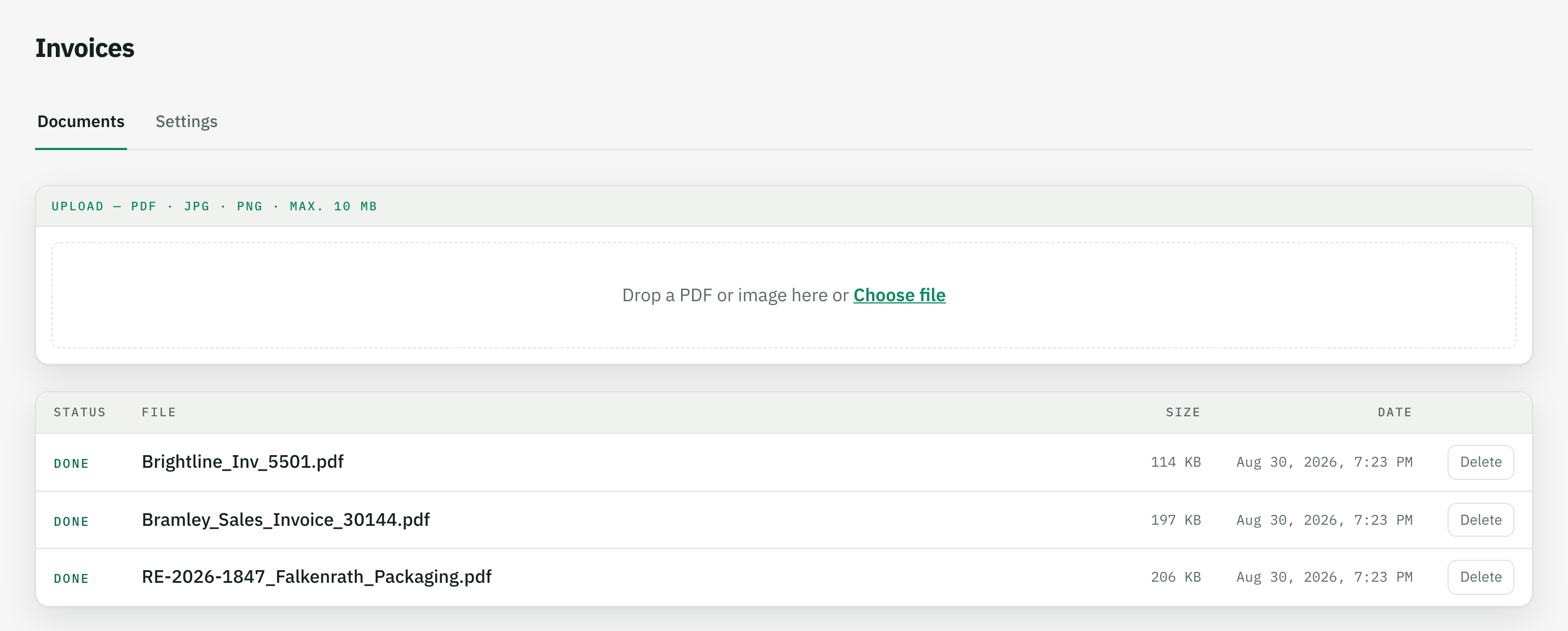
In short: Tiro reads supplier invoices as PDF and returns them as a table: one row per line item with description, quantity, unit price, tax rate and amount; invoice number, date, due date, supplier, VAT ID, net/tax/gross, IBAN and payment reference as header fields. The layout does not matter – in the example 17 line items from three invoices from three countries (Germany 19 % VAT, UK 20 % with a zero-rated line, US 8.875 % sales tax) with three currencies and three date formats run into one table.
Below you see the three invoices and the values that come out of each.
How Tiro reads an invoice
Every supplier prints differently: the invoice number is called “Invoice no.”, “Rechnungs-Nr.” or just “#”, the date reads 15.07.2026, 21/07/2026 or 07/18/2026, amounts appear as 1.234,56 or $1,234.56, and the tax shows up as VAT, a VAT analysis per rate or sales tax under the subtotal. Layout tools therefore break every invoice differently – and whoever receives many invoices ends up typing after all.
Tiro works through the fields, not the layout: you define once which values you want and in what form – “date as ISO”, “line amount excluding tax”, “VAT ID empty if none is printed”. The AI reads every page as text and as image, finds the values in the given layout and returns them in exactly that form: real numbers, real dates, the same columns for every supplier.
What people typically pull out of invoices
- Incoming invoices for bookkeeping – invoice number, amounts and due date as a table for pre-entry or the import into the accounting or ERP system.
- Line items for matching – quantity and unit price per line checked against the purchase order and the delivery note before anything is paid.
- Preparing payment runs – IBAN, payment reference, amount and due date per invoice as fields; the payment reconciliation afterwards is shown on the bank statements page.
- Reporting across suppliers – spend by supplier, tax rate or line type, in the same columns across all layouts.
Why not a PDF converter or accounting OCR?
PDF-to-Excel converters copy the layout into cells: address blocks land next to the line item table, “1.680,00” becomes text, and every supplier yields different columns. Accounting OCR in turn is locked to fixed receipt fields for a posting workflow – custom columns such as an article number, a project code or the tax rate per line do not fit in. Parseur and Airparser solve invoices with fields, but return dates as text in the source format. With Tiro you define the fields yourself, and dates, amounts and tax rates arrive normalised – in the same columns for every invoice.