Data from your PDFsemailsscansphotosOffice filesdelivered as Excel.CSV.JSON.webhook.
Documents that arrive from outside and get retyped: order confirmations, delivery notes, leads. Create an inbox, upload or forward them — Tiro extracts the fields you need. No retyping. No training. Hundreds of documents at once.
20 pages per month included — no credit card, no subscription.
IntakeUploadEmailAPIscans & photos too
| File | Invoice no. | Date | Net |
|---|---|---|---|
| RE_2026_0341.pdf | 2026-0341 | 2026-04-02 | €1,284.50 |
| RE_2026_0398.pdf | 2026-0398 | 2026-04-17 | €640.00 |
| RE_2026_0442.pdf | 2026-0442 | 2026-05-02 | €3,912.75 |
+ 247 more rows · Export: XLSX / CSV / API
What does retyping cost you today?
Two sliders, an honest sum: only your numbers, no industry averages.
How it works
- Step 01
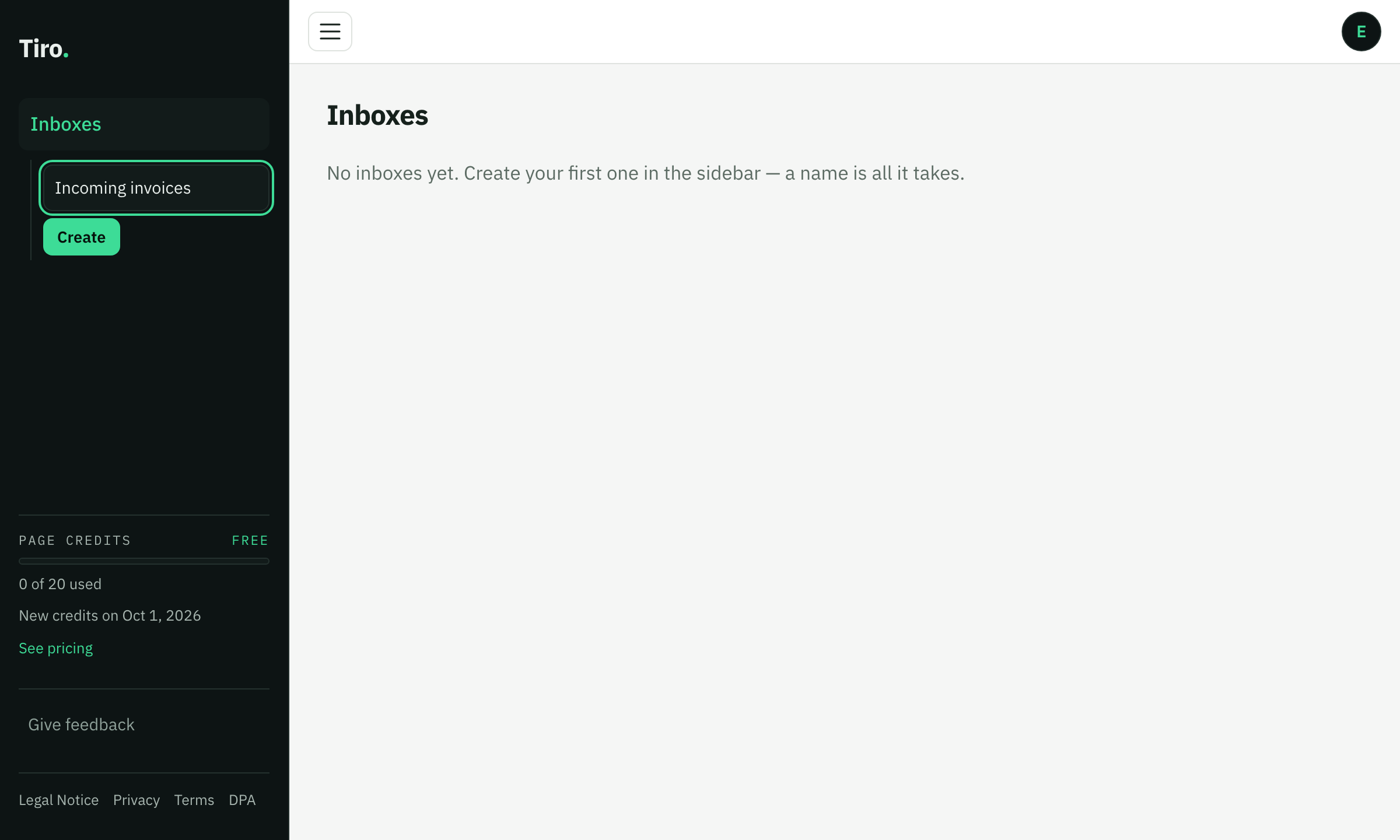
Create
One inbox, one field: the name. The AI proposes the right data fields from your first document — no rule editor, no field marking, no manual.
- Step 02
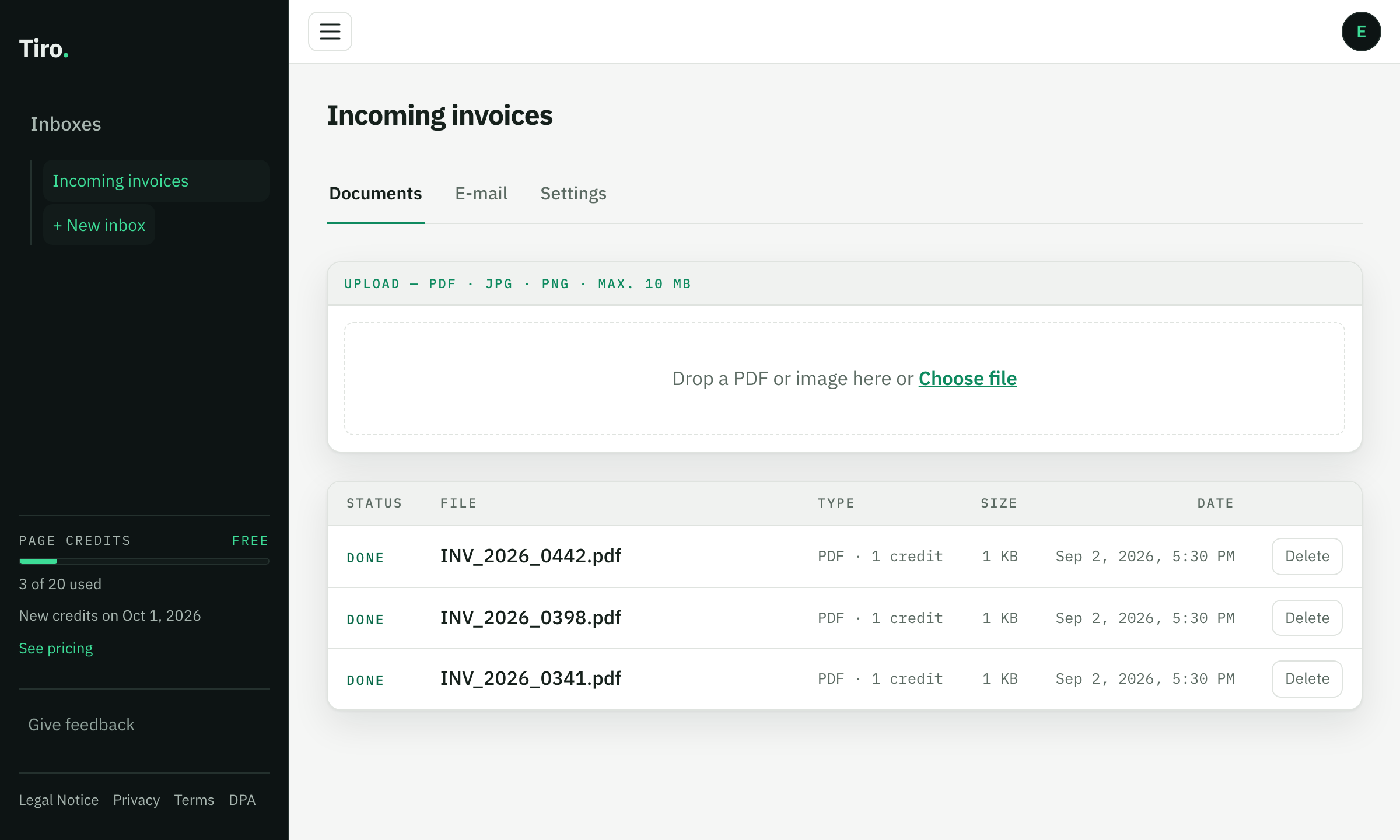
Send in
Drag & drop, email to your inbox’s own address, or the API — one PDF or hundreds, scans and photos included. Tiro handles the rest in the background, every document with a visible status.
- Step 03
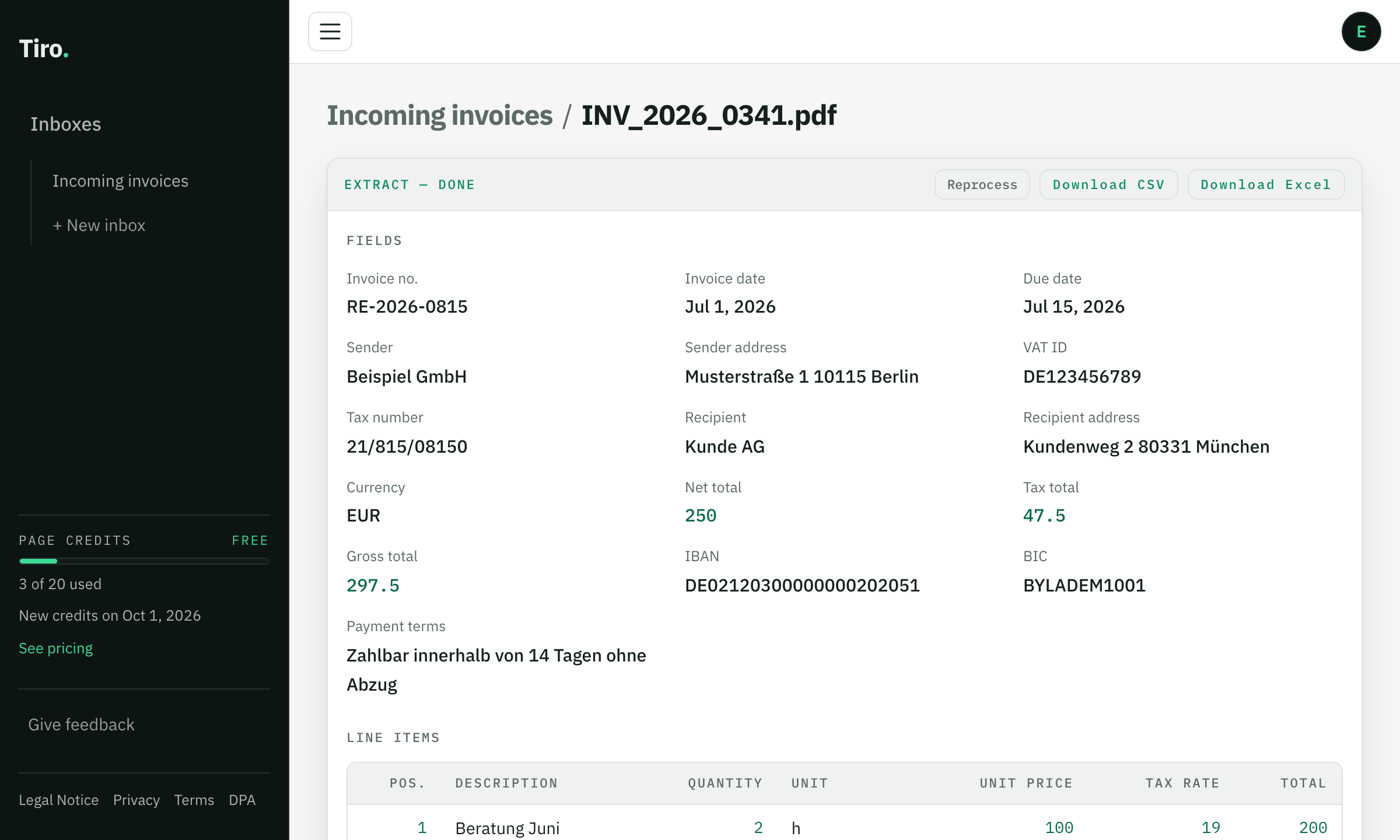
Download
Every value ends up neatly sorted in your table — as Excel or CSV with real date and number values. When new documents come in, just upload them — your fields are saved.
One inbox per document type
Invoices, bank statements, delivery notes, test certificates — every solution page shows a real example: document in, table out.
Your documents stay yours
Hosted in the EU
Servers, database and document storage run in EU data centres.
GDPR-compliant AI
AI extraction is GDPR-compliant — no training on your documents.
Encrypted and locked down
TLS on every connection, keys stored hashed only, containers without root, no document contents in logs.
You set the retention
Per inbox — from “delete right after export” to 1 year. Manual deletion is possible at any time.
DPA included
The data processing agreement under Art. 28 GDPR is concluded with your registration and available as a PDF.
Public status
Availability is monitored independently and shown on a public status page.
Frequently asked questions
Which data does Tiro read from my PDFs?
You decide the fields: on the first upload the AI proposes fields that fit your document type — for invoices e.g. document number, date and amounts — and you can adjust them at any time. Every document of the same inbox lands in the same table shape; dates and numbers arrive normalized, not as text.
Do all PDFs need the same layout?
No. Every document is read on its own — Tiro is strongest with recurring documents: create the inbox once, then simply upload whatever comes in.
What does it cost?
Starting is free: 20 pages per month, no credit card. One page = one credit — that stays the only metric, including the paid plans for higher volumes.
What happens to my documents?
They are used exclusively for your extraction — no training on your data. You set the retention per inbox, down to “delete right after export”; you can delete at any time. Details are in the privacy policy.
Does it work with scans?
Yes — scanned or photographed documents are read reliably as well.
Can I send documents by email?
Yes. Every inbox has its own email address. Forward mails with attachments there — PDFs and images are processed like an upload, and the mail itself costs no credits. Guide: set up email intake
Is there an API?
Yes: upload and result retrieval via REST with an API key — the same rules and limits as in the browser.
Never retype a PDF again.
Start for free — 20 pages per month included, no credit card.